 FireLookup
Amazon Seller Reconciliation in Excel/CSV: Match Orders, Fees, Refunds, and Settlements
Amazon seller reconciliation is one of the most painful recurring finance workflows in e-commerce. A single settlement period can include hundreds of orders, various fee...
Summary
Amazon seller reconciliation is one of the most painful recurring finance workflows in e-commerce. A single settlement period can include hundreds of orders, various fee types (referral, FBA, storage, advertising), refunds, adjustments, reimbursements, and withholding tax adjustments - all bundled into one deposit.
The Flat File V2 settlement report from Seller Central contains the raw data, but comparing it against your bank deposits, accounting system, and order management records requires matching at multiple levels: transaction level, settlement period level, and bank deposit level.
FireLookup helps Amazon sellers and e-commerce finance teams reconcile settlement report CSVs against bank deposit reports and accounting exports with exact, fuzzy, and grouped matching - then export matched and unmatched rows with an audit trail.
The real Amazon seller reconciliation workflow
Most sellers are trying to answer these questions:
- Are all my Amazon orders reflected in the settlement report for this period?
- Are the fees, refunds, and adjustments correct against my expectations?
- Does the settlement total match the bank deposit?
- Which transactions or fees are missing or unexpected?
- Which items are timing differences versus real exceptions?
A reliable workflow separates reconciliation into layers: order layer, fee layer, settlement layer, and bank layer.
Example tables
Amazon Flat File V2 settlement export (simplified)
| settlement_id | transaction_type | order_id | sku | quantity | product_sales | shipping_credits | gift_wrap_credits | selling_fees | fba_fees | other_transaction_amount | total |
|---|---|---|---|---|---|---|---|---|---|---|---|
| STL-2026-05-01 | Order | 104-1234567-8901234 | SKU-A | 1 | 45.00 | 5.00 | 0.00 | -6.75 | -5.00 | 0.00 | 38.25 |
| STL-2026-05-01 | Order | 104-2345678-9012345 | SKU-B | 2 | 120.00 | 10.00 | 2.00 | -18.00 | -10.00 | 0.00 | 104.00 |
| STL-2026-05-01 | Refund | 104-1234567-8901234 | SKU-A | -1 | -45.00 | -5.00 | 0.00 | 6.75 | 5.00 | 0.00 | -38.25 |
| STL-2026-05-01 | Adjustment | 104-3456789-0123456 | SKU-C | 0 | 0.00 | 0.00 | 0.00 | 0.00 | 0.00 | -15.00 | -15.00 |
| STL-2026-05-01 | Service | - | - | - | 0.00 | 0.00 | 0.00 | 0.00 | 0.00 | -5.99 | -5.99 |
Bank deposit export
| deposit_date | description | amount | reference |
|---|---|---|---|
| 2026-05-05 | AMAZON PAYMENTS STL-2026-05-01 | 103.01 | ACH-77512 |
| 2026-05-12 | AMAZON PAYMENTS STL-2026-05-08 | 285.44 | ACH-77601 |
| 2026-05-19 | AMAZON PAYMENTS STL-2026-05-15 | -12.50 | ACH-77688 |
Desired reconciliation output
| match_status | settlement_id | bank_reference | settlement_total | bank_amount | variance | reason |
|---|---|---|---|---|---|---|
| matched | STL-2026-05-01 | ACH-77512 | 103.01 | 103.01 | 0.00 | Settlement ID and amount match |
| matched | STL-2026-05-08 | ACH-77601 | 285.44 | 285.44 | 0.00 | Settlement ID and amount match |
| unmatched_bank | - | ACH-77688 | - | -12.50 | -12.50 | Negative deposit - check if adjustment-only settlement or bank reversal |
Step-by-step process in Excel
Step 1: Export the right Amazon reports
From Seller Central > Payments > All Statements, download the Flat File V2 settlement report for each period you need to reconcile. Also export your bank statement CSV for the matching period.
If you use order management or accounting software, export your order records by settlement period as well.
Step 2: Normalize formats before matching
Clean columns, convert date formats, and create helper columns for settlement ID, clean amounts, and date windows.
Step 3: Reconcile settlement totals to bank deposits
Match each settlement report's total to a bank deposit by settlement ID (if it appears in the description) or by amount + date window.
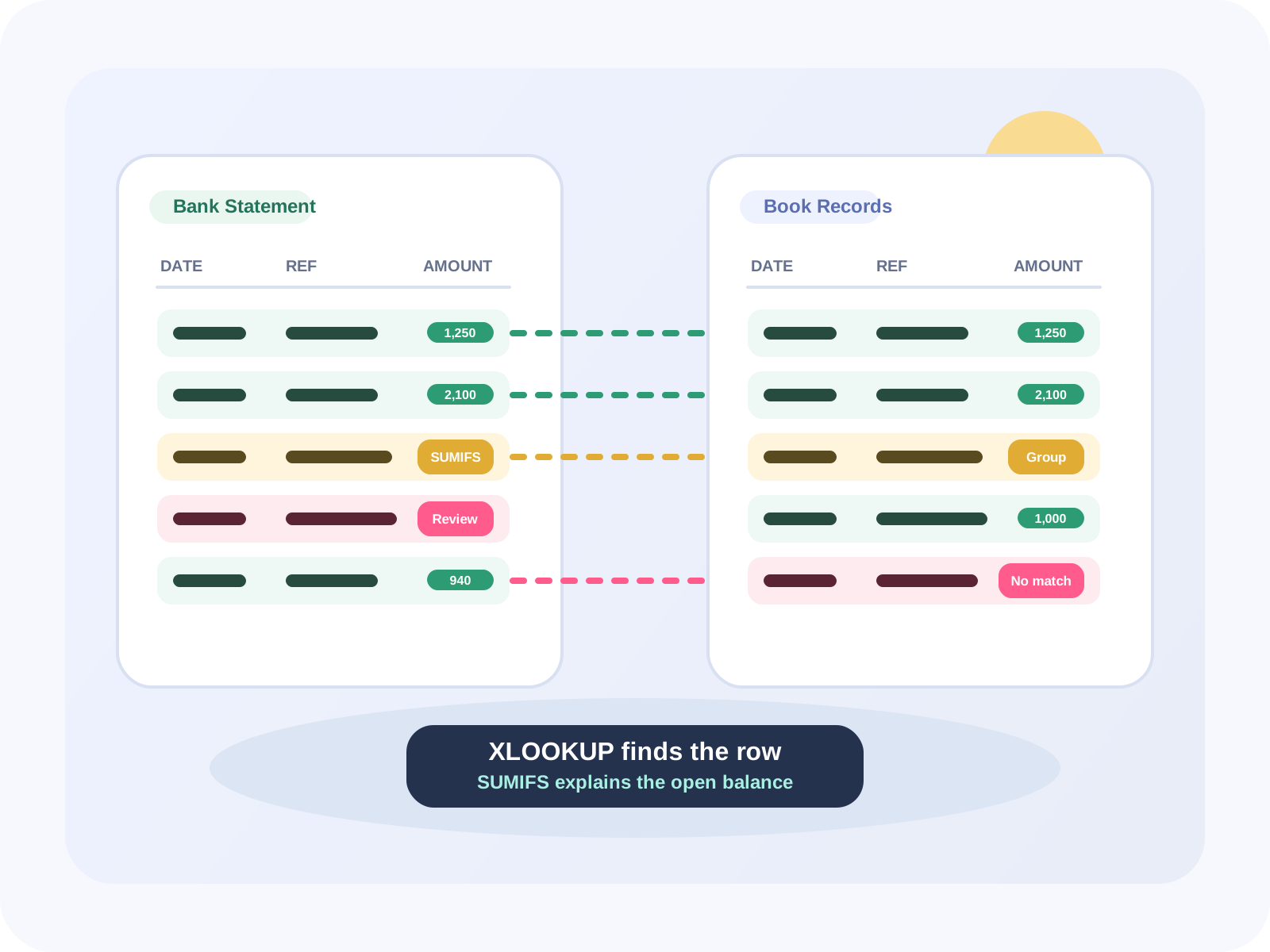
Basic XLOOKUP for simple matching:
=XLOOKUP([@settlement_id], Bank[description], Bank[amount], "No bank match", 2)This works when the bank description contains the settlement ID compacted (e.g., "STL-2026-05-01" contained in "AMAZON PAYMENTS STL-2026-05-01").
Step 4: Reconcile transaction rows to settlement totals
Use SUMIFS to prove each settlement total equals the sum of its transaction rows:
=SUMIFS(Settlement[total], Settlement[settlement_id], [@settlement_id])Step 5: Break out exception buckets
Separate exceptions into categories:
- Missing from bank (timing - next period's deposit)
- Missing from settlement (adjustment-only settlements, service fees)
- Amount variances (fee changes, exchange rate differences)
- Negative settlements (refund-heavy or adjustment periods)
Step 6: Use grouped matching for one settlement to multiple deposits
Some settlement periods split across multiple bank deposits (or vice versa). This requires grouped matching - matching a group of rows by total amount and date range rather than individual records.
FireLookup's grouped matching is designed for exactly this: upload the settlement export and the bank CSV, pick the matching key (settlement ID or amount+window), and let the tool find matched, unmatched, and grouped matches.
Where Excel breaks for Amazon seller reconciliation
- One settlement, multiple deposits: Amazon sometimes splits a single settlement into multiple deposits. XLOOKUP misses grouped matches.
- Settlement ID not in bank description: Some bank entries just say "AMAZON" with no reference. You're matching by amount + window alone.
- FBA fees changing retroactively: Amazon adjusts fees after the settlement period. Your original calculations won't match the actual deposit.
- Negative deposit periods: A refund-heavy or service-fee-heavy period can result in a negative deposit (Amazon debits your account). Excel handles this poorly if your lookup expects positive amounts.
- Multiple currencies: If you sell internationally, each currency gets its own settlement and separate bank deposit. Cross-currency matching at FX rates adds another layer.
- Flat File V2 column changes: Amazon occasionally adds or removes columns. Your carefully built Excel formulas break.
How FireLookup helps
FireLookup is built for exactly this kind of two-file CSV/Excel reconciliation:
- Upload your Flat File V2 settlement export and your bank deposit CSV
- Pick your matching keys (settlement ID, amount, date, or a combination)
- Run exact, fuzzy, or grouped matching
- Export matched rows, unmatched rows, and an audit trail
No formulas, no macros, no fragile Excel workbooks that need fixing every month.
FAQ
Q: What is Amazon Flat File V2? A: Flat File V2 is Amazon's simplified settlement report format that consolidates financial data into fewer columns than the legacy XML or flat file formats. It's the recommended format from Seller Central.
Q: How often do Amazon settlements deposit? A: Typically every 7-14 days, but it varies by account health, sales volume, and region. Check your Payment Schedule in Seller Central.
Q: Can FireLookup handle FBA fee reconciliation? A: Yes. FireLookup can match your FBA fee rows from the settlement report against your FBA fee expectations or historical averages.
Q: Does FireLookup handle negative settlements? A: Yes. Negative deposits (when refunds + fees exceed sales) are treated as unmatched records from the bank perspective.
Q: Can I reconcile Amazon settlements against QuickBooks/accounting exports? A: Yes. Export your accounting system's deposit records to CSV, then upload both files to FireLookup for matching.
- Shopify Payout Reconciliation in Excel/CSV - matching payout workflows for Shopify sellers
- Compare Two CSV Files: Matches, Differences, and Unmatched Rows - general two-file reconciliation methods
- How to reconcile Excel and CSV files - step-by-step FireLookup workflow
- Spreadsheet reconciliation software pricing - plan comparison and row credits
Related FireLookup resources
Explore more
More spreadsheet reconciliation resources
Explore pricing, reconciliation guides, and support resources for teams comparing Excel and CSV files with an audit trail.