Spreadsheet Reconciliation Checklist: 12 Controls Before You Match
Use this spreadsheet reconciliation checklist to clean exports, lock match keys, and cut false exceptions before you compare Excel or CSV files.
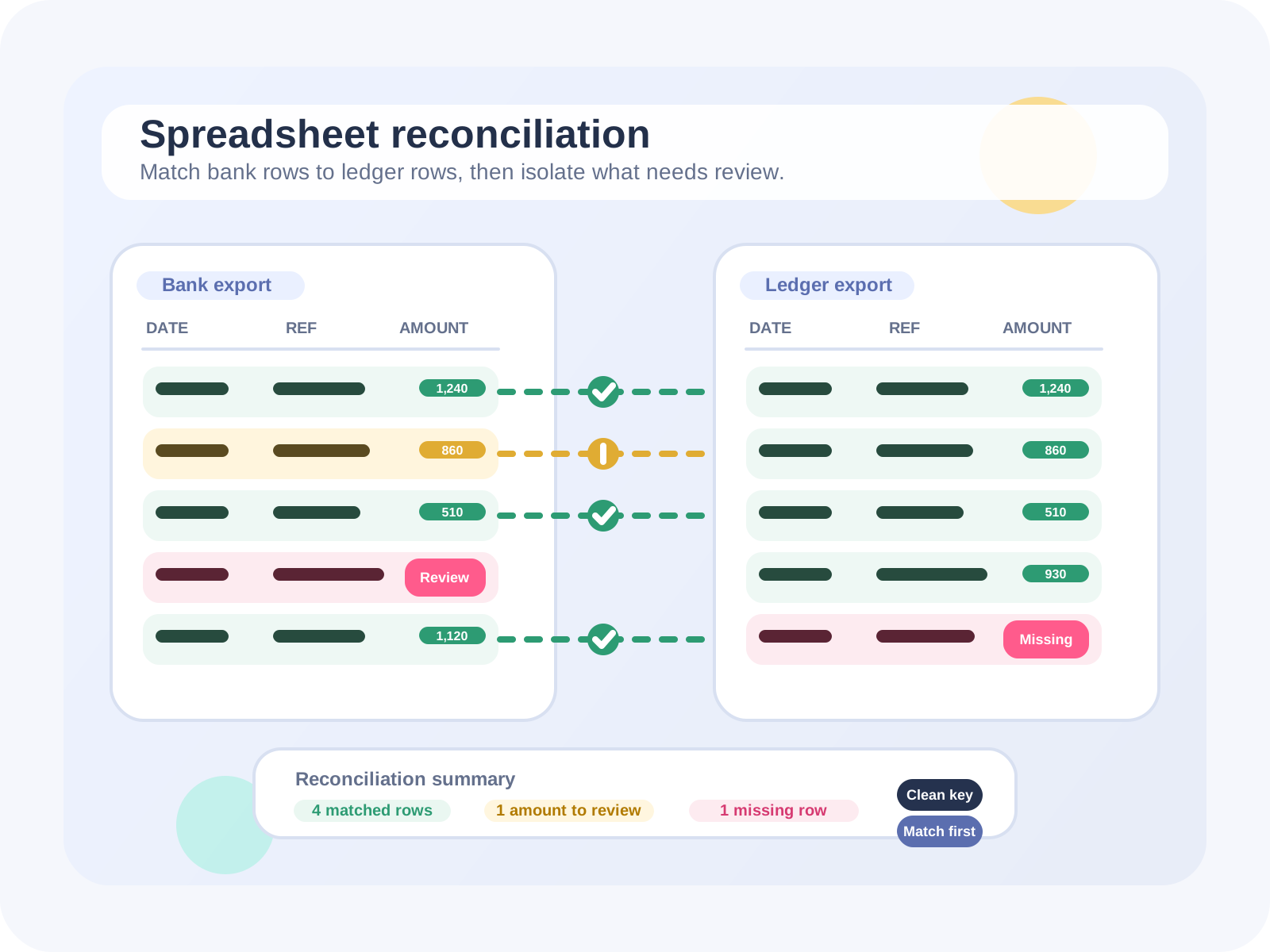
A spreadsheet reconciliation checklist should eliminate predictable file problems before matching starts. When teams clean file structure, lock match keys, normalize amounts, and split duplicates from true exceptions, they spend less time defending workbook logic and more time reviewing real breaks.
This guide is for finance and operations teams reconciling Excel and CSV exports at month-end. It focuses on the controls that make manual spreadsheet work more reliable and the signals that it is time to move the comparison step into FireLookup.
TL;DR: the shortest version of the checklist
- Make each upload one clean transaction table with one header row and no report clutter.
- Choose the exact fields that define the match before anyone starts adjusting formulas.
- Normalize dates, amounts, spaces, and sign rules before the first comparison.
- Flag duplicates and grouped transactions before they turn into fake exceptions.
- Separate matched, timing, and investigation items the moment the first pass is complete.
- Escalate to FireLookup when row counts, grouped matches, or reviewer handoff keep breaking the workbook.
1. Turn every upload into one clean transaction table
A reconciliation file should look like a transaction table, not like a report someone happened to export. Remove title banners, repeated headers, blank spacer rows, subtotals, running balances, and memo rows that are not real transactions. If one row does not equal one record, the comparison starts with ambiguity already baked in.
This matters because report clutter becomes fake exceptions. A repeated page header can look like an unmatched row. A subtotal can look like a suspicious grouped transaction. A notes row can break the type of a whole column. The checklist should make this cleanup a required pre-match control, not an optional tidy-up.
2. Lock the columns that define the match
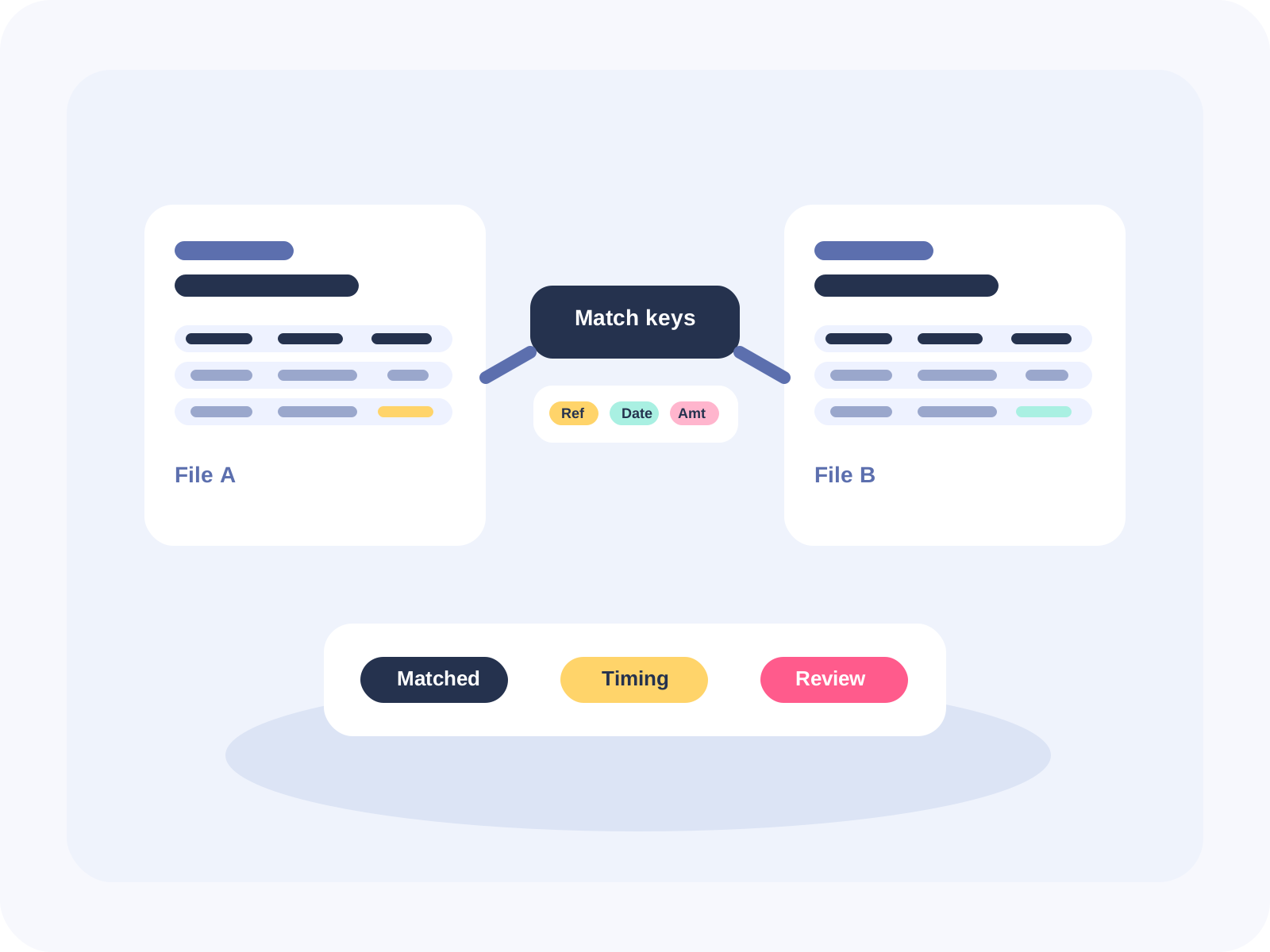
The best reconciliation key is the simplest field or field pair that exists consistently on both sides. Invoice number, transaction ID, bank reference, or date plus reference usually beats free-text descriptions. Weak keys inflate the unmatched queue and train reviewers not to trust what they are looking at.
- Start with the narrowest stable identifier available in both files.
- Use amount as a confirmation field unless the process genuinely requires it inside the key.
- Decide whether the team is reconciling on posting date, statement date, or settlement date before the run begins.
- Write the key rule down so the same account does not use a different logic next month.
3. Normalize dates, amounts, and text before you compare
Most spreadsheet reconciliation errors are format differences pretending to be business differences. Dates arrive in mixed orders, amounts are stored as text, debit and credit signs are flipped between systems, and references include stray spaces or extra punctuation. Those issues should never reach the reviewer queue.
- Convert amount columns to real numeric values and handle parentheses consistently.
- Trim leading and trailing spaces from IDs, references, and names.
- Apply one sign rule so both files treat inflows and outflows the same way.
- Standardize date fields before matching so one source is not using settlement timing while the other uses posting timing.
- Move explanatory text out of amount fields and out of the working key.
Microsoft's Power Query merge tools help with structured cleanup, and fuzzy matching can catch near-matches on text columns, but both still depend on disciplined inputs. The checklist exists so every run begins with a consistent, reviewable standard instead of a new round of guesswork.
4. Split duplicate noise from true exceptions
Duplicates deserve their own control. If two source rows share the same key and amount, the team should decide whether that is a real duplicate, a split transaction, or a grouped match candidate before it gets mixed into the unmatched list. Otherwise reviewers lose time proving whether the exception is structural or financial.
A simple three-bucket output keeps review cleaner: matched rows, timing items, and investigation items. That one change moves the conversation away from workbook archaeology and back toward decisions that matter at close.
5. Know when the spreadsheet itself is the bottleneck
Excel remains useful, but it was not built to be a reconciliation workflow engine. Microsoft's own specifications put the .xlsx worksheet limit at 1,048,576 rows, and workbook comparison tools focus on cell differences rather than transaction-level review. When a process needs grouped matching, repeated reruns, or audit-ready reviewer handoff, formulas stop being the hard part. The workflow does.
That is the point where FireLookup starts to save time. Instead of rebuilding helper columns every month, teams upload two files, choose the columns that should line up, run exact or fuzzy matching, and export matched and unmatched output with a clear audit trail. The checklist still matters, but the manual comparison step stops controlling the whole close.
How FireLookup fits after the checklist
- Upload the cleaned Excel or CSV files without changing the source exports.
- Select the amount columns and define the key using the stable fields from the checklist.
- Run exact, fuzzy, or grouped matching depending on the pattern in the account.
- Review matched and unmatched rows in one place instead of across chained formulas.
- Export a package that reviewers can follow without reconstructing the workbook.
FAQ
What is a spreadsheet reconciliation checklist supposed to prevent?
It should prevent avoidable noise from entering the comparison: repeated headers, text-formatted amounts, weak keys, sign reversals, duplicate rows, and unlabelled exceptions. The best checklist reduces false mismatches before anyone starts investigating transactions.
How long should the checklist be?
Short enough that the team uses it every period, but specific enough to stop recurring mistakes. In practice that means a compact control list for file structure, match keys, amount handling, duplicates, and reviewer handoff, not a long narrative SOP.
When should a team stop relying on formulas alone?
Usually when grouped matches become common, reviewers need repeatable audit output, or the workbook only works when one preparer explains it live. At that point the checklist still matters, but the comparison step belongs in software rather than in fragile workbook logic.
Further reading
Microsoft: Excel specifications and limits
Reference the current worksheet, row, and workbook limits before deciding how much comparison work should stay inside Excel.
Microsoft: Merge queries in Power Query
See how Excel handles structured joins when both files already have clean tables and matching data types.
Microsoft: Compare two workbook versions
Useful for workbook drift detection, but not a replacement for a reconciliation workflow that tracks matched and unmatched transactions.
Explore FireLookup
See the full FireLookup workflow
Walk through upload, matching, review, and export for Excel and CSV reconciliation.
Compare FireLookup plans
Review the Starter, Plus, and Pro options for recurring spreadsheet reconciliation work.
Get help with file prep and review issues
Use support guidance when headers, row counts, or export formatting keep causing upload friction.
Explore more
Sigue explorando FireLookup
Compara precios, revisa la guía de preparación de archivos y aprende flujos de conciliación de hojas de cálculo desde estas páginas.